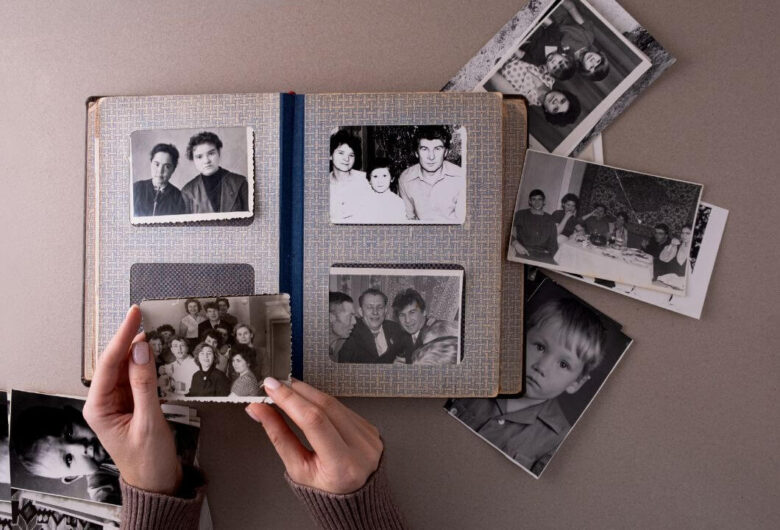
The phrase “thousands of old photos and videos” is enough to make many people feel stuck before they even begin.
Not because the job is impossible, but because it feels too big.
There are too many files, too many folders, too many duplicates, too many unknown dates, too many sources, and usually too much pressure to get it right the first time.
That is exactly why people often think the answer is to start over completely.
But most of the time, that is not the best move.
When an archive is large, starting over from zero often creates more disruption than progress. It turns the project into an all-or-nothing task, which usually makes it harder to finish.
A better approach is to bring order gradually without destroying whatever useful structure already exists.
Do not begin by tearing everything apart
This is one of the biggest mistakes people make with large archives.
They create a new master folder, drag huge amounts of material into it, rename random batches, move years around, and try to rebuild the whole thing in one sweep.
That usually creates:
- confusion,
- duplicate spread,
- broken context,
- and decision fatigue.
A large archive becomes easier to manage when you stabilize first and reorganize in layers.
Not all at once.
Start by understanding what you actually have
Before changing the structure, look at the archive broadly.
Where are the files coming from?
Often a large archive includes a mix of:
- old phone exports,
- downloaded chat images,
- scanned photos,
- family videos,
- external drive copies,
- camera folders,
- inherited material,
- and random transfers from different years.
You do not need to inventory every single file immediately.
But it helps to identify the main source groups and problem areas first.
That makes the project feel more real and less abstract.
Separate active archive, intake, and backup
One reason large photo collections feel impossible is that everything gets mixed together.
The working archive, incoming files, and backup copies all end up in the same general space.
That makes cleanup much harder.
It helps to separate three things clearly:
- the real archive,
- the intake area,
- and the backup layers.
That way, when you organize, you are not accidentally cleaning backup copies or dragging unreviewed material straight into permanent folders.
Build around the structure you want, not the chaos you inherited
Once you understand the collection better, create a stable target structure.
For most people, that means a time-based backbone:
- decades,
- then years,
- then event folders only when useful.
A guide like A Folder Structure That Still Works After 10 Years is the right foundation here because large archives need structure that scales, not just structure that looks good for a week.
Work in controlled sections, not across the whole archive
This is where large projects become manageable.
Instead of trying to organize everything, choose a slice.
That slice could be:
- one decade,
- one source folder,
- one external drive,
- one family branch,
- or one year at a time.
This keeps decision-making lighter and reduces the risk of turning one huge archive problem into ten smaller confusing ones.
Progress feels slower at first, but it is much easier to trust.
Do not rename everything just because you can
Large archives often contain plenty of bad filenames.
That does not mean every file needs immediate renaming.
Rename when it adds real clarity.
Leave it alone when the folder context already does enough work.
This matters because aggressive renaming across thousands of files can consume huge amounts of time and energy without giving proportional value back.
Better structure usually matters more than perfect filenames.
Handle duplicates carefully, not emotionally
Big archives usually contain duplicates.
Lots of them.
The temptation is to see duplicate cleanup as the fastest way to shrink the problem.
Sometimes that helps.
Sometimes it creates damage.
A calmer process like How to Remove Duplicate Photos Without Making a Bigger Mess is much safer, because large archives often contain:
- exact duplicates,
- compressed copies,
- edited versions,
- repeated downloads,
- and backup-like redundancy that should not be mistaken for clutter.
The goal is not just fewer files.
It is a more trustworthy archive.
Accept that some uncertainty will remain for a while
This matters a lot in large collections.
You will probably have files with:
- unclear dates,
- vague event names,
- unknown people,
- incomplete folders,
- or mixed batches from several devices.
Do not let that stop the whole project.
Use broad labels when necessary:
- Date Unknown,
- Review Later,
- Early 2000s,
- Event Unclear.
You can improve context later. What matters first is reducing chaos without pretending to know everything.
Protect the archive while you work on it
A big reorganization project is also a high-risk moment.
You may:
- move large batches,
- rename folders,
- delete duplicates,
- merge years,
- and consolidate scattered sources.
That is exactly when backup matters most.
A guide like The Complete Backup Guide for Family Photos and Videos should be part of this process, not something saved for the end.
Common mistakes to avoid
1. Trying to rebuild the whole archive from zero
That usually creates more confusion.
2. Mixing backup copies into active cleanup
Backup and clutter are not the same thing.
3. Renaming too much too early
Structure usually gives more value than mass renaming.
4. Letting unknown files stop all progress
Broad, honest labels are enough for now.
5. Waiting until everything is “organized” before backing it up
Protection should happen during the process.
Final takeaway
If you have thousands of old photos and videos, the answer is usually not to start over.
It is to bring order gradually.
Understand the collection first. Separate archive from intake and backup. Build a stable folder backbone. Work in sections. Rename only when it helps. Handle duplicates carefully. Accept uncertainty honestly. Protect the files while you reorganize them.
Large archives become manageable when the goal shifts from “perfect immediately” to “clearer and safer over time.”
That is usually the turning point.